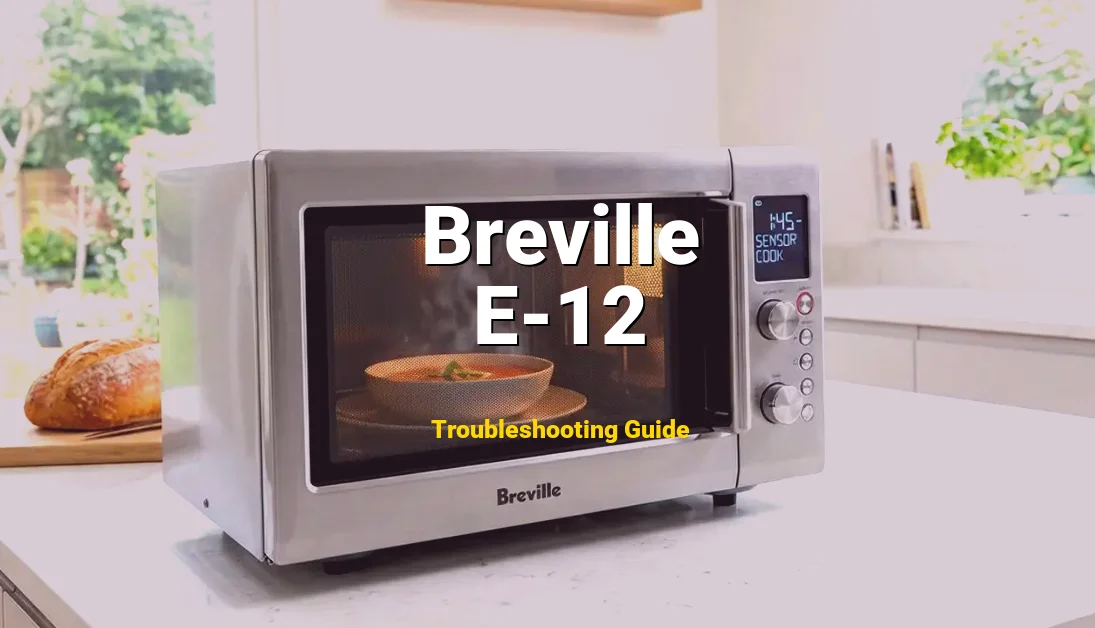
The Breville Microwave Error E-12 indicates a Gas Sensor Failure (also known as the Humidity Sensor). This specialized component is the “brain” behind the Smart Cook and Reheat functions; it detects the concentration of steam and gas emitted by your food to determine exactly when the cooking process is complete. When the control board receives a signal that is out of range or non-existent, it triggers the E-12 lock-out.
📖 Safety Precaution: High Voltage
Don’t guess the wiring. Get the official PDF to see the exact schematics.
Listen, I’ve seen plenty of folks ready to haul their Breville to the curb when this pops up. You might notice the unit starts up, runs for about 30 seconds, and then dies with a frantic beeping and that “E-12” flashing on the LCD. Your water stays cold, and your dinner stays frozen. But before you go spending $400 on a new unit, take a breath. In my thirty years under the hood of appliances, I can tell you this: E-12 is often just a “blind” sensor or a loose connection. It’s fixable, and I’m going to show you how to do it right.
🛠️ Repair Specifications: Error E-12
| Difficulty Level: | Intermediate (Requires safety caution) |
| Estimated Time: | 45–60 Minutes |
| Tools Needed: | Phillips Head Screwdriver, Digital Multimeter, Isopropyl Alcohol (90%+), Anti-static wrist strap (recommended). |
| Estimated Cost: | $0 (Cleaning) to $45 (Replacement Sensor) |
Symptoms of a Failing Gas Sensor
The E-12 error doesn’t always show up the second you plug the machine in. Like any mechanical failure, it has a “tell.” Here is what you should be looking for:
- The 30-Second Shutdown: You select “Smart Reheat,” the microwave hums beautifully, then at exactly the 30 or 60-second mark, it cuts out and displays the error. This is the board waiting for a sensor update that never comes.
- Inaccurate “Smart” Cooking: Your food is either coming out scorching hot or still ice-cold in the middle, despite using the automated settings. The sensor is sending “drifting” data before it finally fails completely.
- Ghost Beeping: The microwave emits a sequence of beeps while sitting idle, and the display flashes E-12 even when you aren’t trying to cook anything.
- Moisture Trapped in Display: If you see fogging inside the clock display, it’s a sign of internal humidity issues that likely fried the sensor.
Technical Explanation of the Fault
Technical Explanation of the Fault
In my experience, a sensor doesn’t just “quit” for no reason. There’s a physics-based cause behind every E-12 code. Here are the three most common culprits I find in the shop:
1. Grease Contamination (The “Blinded” Sensor): The gas sensor is located near the exhaust duct. Over years of popping popcorn and reheating greasy pizza, microscopic oil particles hitch a ride on the steam. These particles coat the sensor’s thermistor or semiconductor element. This creates an insulating layer that prevents the sensor from “smelling” the humidity change. The board thinks the sensor is dead because the reading never changes.
2. Thermal Expansion & Fatigue: Microwaves go through extreme heating and cooling cycles. The gas sensor is a delicate semiconductor. Over time, the solder joints connecting the sensor to its small PCB (printed circuit board) can develop “cold joints” or micro-cracks. When the unit warms up, the metal expands, the connection breaks, and—boom—E-12.
3. High-Voltage Spikes: Breville units are packed with sensitive electronics. A power surge in your home or a failing high-voltage capacitor inside the microwave can send a “noise” spike through the low-voltage DC rails. This can literally fry the delicate internal circuitry of the gas sensor, which usually operates on a very low 5V signal.
Comprehensive Repair Guide
Comprehensive Repair Guide
Before we turn a single screw, listen to me: Microwaves can be lethal. Even when unplugged, the high-voltage capacitor can hold a 2,000V+ charge. Do not touch anything near the large transformer or the capacitor. We are focusing strictly on the sensor and the control board.
- Step 1: The Hard Reset & Discharge. Unplug the microwave from the wall. Don’t just turn it off. Let it sit for at least 30 minutes. This allows the internal components to bleed off some of their stored energy. Press and hold the “Stop/Clear” button for 10 seconds while it’s unplugged to help drain the logic board.
- Step 2: Removing the Outer Case. Use your Phillips head screwdriver to remove the screws on the back and sides of the microwave. Once the screws are out, slide the metal cabinet casing backward and then lift it off. Place it somewhere safe where it won’t get bent.
- Step 3: Locating the Gas Sensor. Look at the top of the oven cavity, usually on the right-hand side near the exhaust vent ducting. You’ll see a small component (usually with 3 or 4 wires) clipped into a plastic housing. That’s your target. It’s positioned there specifically to catch the steam leaving the cooking chamber.
- Step 4: Inspection and Cleaning. Carefully unclip the sensor. Look at the “nose” of the sensor. Is it covered in yellow gunk? Use a Q-tip dipped in high-purity isopropyl alcohol and gently—very gently—clean the sensor element. In 40% of cases, this “clears the eyes” of the sensor and fixes the E-12 error.
- Step 5: Testing Continuity. Set your multimeter to the Ohms (Ω) setting. Check the resistance across the sensor pins. If you get an “Open Loop” (OL) or 0 resistance, the internal semiconductor is shot. You’ll need to order a replacement part (search for “Breville Microwave Humidity Sensor” and your specific model number).
- Step 6: Reseating the Connections. Unplug the wire harness from the sensor and the main control board. Inspect for any blackening or corrosion. Plug them back in firmly. Sometimes the vibration of the microwave’s cooling fan jiggles these connectors loose over time.
- Step 7: Reassembly and Testing. Slide the cover back on and secure the screws before plugging it back in. Never run a microwave with the case off. Plug it in, put a cup of water inside, and try a “Smart Reheat.” If it completes the cycle, you’ve just saved yourself a few hundred bucks.
How to Prevent Error E-12
Once you’ve got it working, you don’t want to see that code again. Here is how a veteran pro keeps a microwave running for decades:
- The “Door Open” Rule: After cooking something very steamy (like a potato or a bag of veggies), leave the microwave door open for 30 seconds. This allows the excess moisture to dissipate quickly rather than settling on the sensor and electronics.
- Keep the Vents Clear: Ensure there is at least 3-4 inches of clearance around the top and sides of your microwave. If the exhaust fan can’t push the moist air out efficiently, that steam stays inside the cabinet and corrodes the sensor.
- Use a Surge Protector: These Breville boards are “smart,” which means they are sensitive. A dedicated appliance surge protector can prevent high-voltage spikes from frying the gas sensor’s delicate 5V circuit.
FAQ
Frequently Asked Questions
Q: Can I still use my microwave if E-12 is showing?
A: Usually, the unit will lock you out of all functions for safety. However, if it allows you to use “Manual Power” settings, you can technically use it. But listen—if the sensor is failing, it can lead to erratic behavior from the control board. It’s better to fix it than to risk a board failure later.
Q: Why did Breville make this sensor so hard to reach?
A: It’s actually about accuracy. The sensor has to be in the “exit path” of the air. If it were too close to the front, it would catch kitchen air; if it were too close to the food, it would get splattered. The placement is a trade-off between engineering precision and repair accessibility.
Q: Is the E-12 error dangerous?
A: The error itself isn’t dangerous—it’s actually a safety feature. It’s the machine’s way of saying, “I can’t see what I’m doing, so I’m stopping before I burn your house down.” The danger only exists if a DIYer tries to fix the unit without respecting the high-voltage capacitor. Always unplug and discharge!