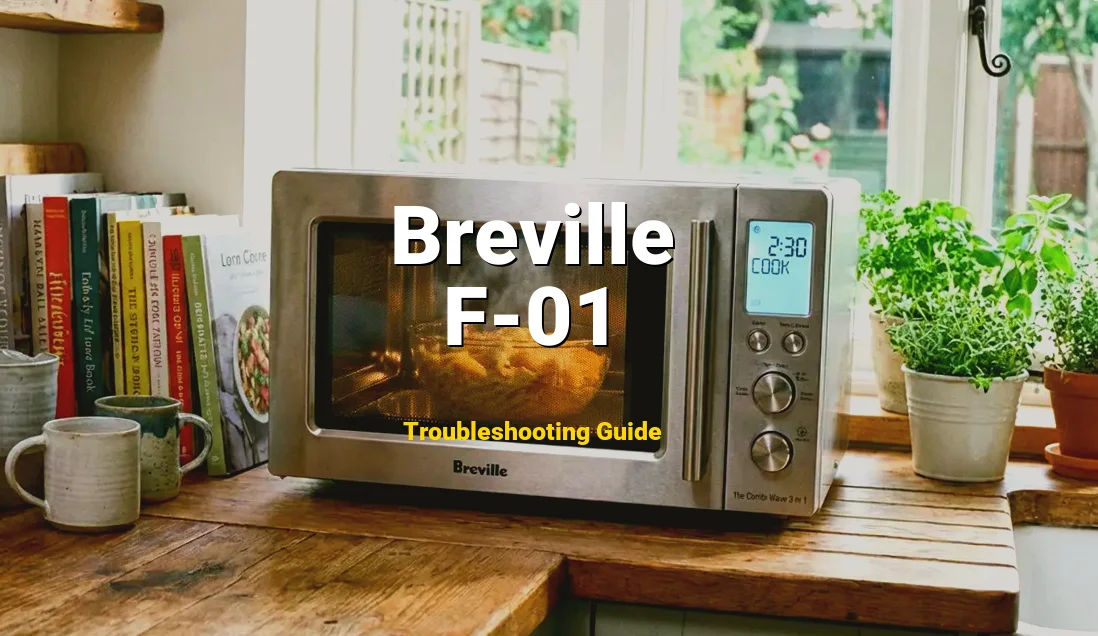
The Breville Microwave Error F-01 is a specific diagnostic code indicating a Touch Keypad Short Circuit. This happens when the microwave’s control board detects that a button is being “pressed” continuously for more than 60 seconds, or the internal ribbon cable has developed a cross-circuit due to moisture or wear.
🛠️ Safety Precaution: High Voltage
Don’t guess the wiring. Get the official PDF to see the exact schematics.
Hey there, home chef! If you’ve just sat down to a bowl of cold soup because your Breville is flashing “F-01” and refusing to cooperate, I know exactly how frustrating that feels. You might hear some strange phantom beeping, or perhaps the buttons feel “mushy” and unresponsive. But take a deep breath—you don’t need to go shopping for a new appliance just yet. This is a very common hiccup in high-end microwaves, and with a little bit of patience and this guide, we can likely get your kitchen back in working order together!
Symptoms of a Breville F-01 Error
Before we dive into the guts of the machine, let’s make sure your microwave is actually suffering from a keypad short. Here are the tell-tale signs that your Breville is struggling with an F-01 fault:
- The Beeping Ghost: You might hear the microwave beep randomly as if someone is pressing buttons when no one is even in the kitchen.
- The Unresponsive Panel: You press “Start” or “Defrost,” and absolutely nothing happens, or the screen stays frozen on the error code.
- Cycle Interruptions: The microwave starts cooking but suddenly stops after a few seconds, flashing F-01 because it thinks a button was pressed mid-cycle.
- Erratic Scrolling: On models with a dial and buttons, the numbers might jump around wildly or reset to zero without warning.
- Visual Error Code: The most obvious sign—the digital display clearly shows “F-01” and refuses to clear even after pressing ‘Clear/Off’.
Comprehensive Repair Guide
Comprehensive Repair Guide
Alright, let’s get those sleeves rolled up! We are going to move from the easiest fix to the more technical ones. Please follow these steps in order.
Step 1: The “Hard Reset” (The 10-Minute Rule)
Before picking up a tool, unplug the microwave from the wall outlet. Don’t just turn it off; physically remove the plug. Let it sit for at least 10 minutes. This allows the capacitors on the control board to fully discharge and clears the temporary memory. Plug it back in. If the F-01 returns immediately, move to Step 2.
Step 2: The Deep Surface Clean
Take a microfiber cloth dampened (not dripping!) with warm soapy water or rubbing alcohol. Firmly wipe down the entire keypad. Use your fingernail (gently!) to run the cloth along the edges of the buttons. Often, a “stuck” key is just stuck mechanically by a bit of spilled soda or grease. Dry it thoroughly with a hair dryer on a cool setting to ensure no moisture remains in the cracks.
Step 3: Safety First – Discharging the Unit
WARNING: Microwaves contain a high-voltage capacitor that can hold a lethal charge even when unplugged. If you decide to open the casing, do not touch the large metal cylinder (the capacitor) or the transformer. Keep your hands only on the control panel area.
Step 4: Accessing the Ribbon Cable
Unplug the unit. Using your Phillips head screwdriver, remove the outer cabinet screws (usually located on the back and sides). Slide the cover back and off. Locate the back of the control panel. You will see a flat, flexible “ribbon cable” plugged into the main circuit board. This is the nervous system of your keypad.
Step 5: Cleaning the Contacts
Carefully flip the locking tab on the ribbon cable connector and slide the cable out. Look at the silver “teeth” at the end of the cable. If they look dark or corroded, dip a cotton swab in 90% Isopropyl alcohol and gently wipe them. Let it dry completely. This removes the “shorts” caused by oxidation. Reinsert the cable firmly and lock the tab.
Step 6: The Multimeter Test (Advanced)
If you have a multimeter, set it to the Continuity (Beep) setting. Touch the probes to the pins on the ribbon cable corresponding to the stuck button. If it beeps without you pressing the button, the keypad membrane itself is internally shorted and the entire touch panel assembly will need to be replaced.
Step 7: Reassembly and Testing
Slide the metal cover back on, ensuring all tabs align perfectly. Replace the screws. Plug the unit back in and try to set the clock. If the code is gone—congratulations! You’ve just saved yourself a $100 repair bill!
Quick Repair Specs
| Difficulty: | Intermediate (Requires steady hands and basic electrical safety) |
| Estimated Time: | 30 to 60 Minutes |
| Tools Needed: | Phillips #2 Screwdriver, Electronic Contact Cleaner (or 90% Isopropyl Alcohol), Microfiber cloth, Multimeter (optional). |
| Estimated Cost: | $0 (Cleaning) to $65 (Replacement Keypad) |
Why is my Breville showing Error F-01?
Why is my Breville showing Error F-01?
Understanding the “why” is the first step to becoming a DIY pro. The F-01 code isn’t just a random glitch; it’s a safety response. Here are the primary culprits behind the failure:
1. Humidity and Steam Infiltration: This is the most common cause. Microwaves are often placed above stoves or near kettles. Over time, steam carries fine grease particles into the crevices of the touchpad. This moisture creates a “bridge” between the delicate silver traces on the ribbon cable, causing a short circuit that the computer interprets as a stuck button.
2. Membrane Degradation: Inside your touch panel are two thin layers of plastic with conductive ink. When you press a button, you push these layers together. After thousands of bags of popcorn, the plastic can lose its “spring,” causing the layers to stay touched together permanently. This is simple wear and tear from a well-loved appliance.
3. Voltage Spikes: Sometimes, a minor power surge from the grid can “scramble” the logic of the control board. The board thinks it’s seeing a short circuit when it’s actually just a temporary digital hang-up. This is why we always try the “Hard Reset” first!
4. Debris Logjam: Small particles of food or dried liquids can get wedged behind the edge of a physical button or the plastic overlay. This physical pressure mimics a finger press, triggering the 60-second “stuck key” timeout that results in the F-01 code.
How to Prevent Error F-01
Now that you’ve got your Breville back in action, let’s make sure this pesky code stays away for good. Maintenance is the key to longevity!
- Manage the Moisture: If your microwave is located directly above a stove or a slow cooker, the rising steam is your enemy. Try to use your range hood fan whenever you are boiling water or cooking, as this draws the moisture away from the microwave’s sensitive electronics.
- Use a Surge Protector: High-end Breville appliances are essentially computers that cook food. They are sensitive to “dirty” power. Plugging your microwave into a high-quality surge protector can prevent the control board logic from being fried by grid fluctuations.
- The “Soft Touch” Rule: These are membrane switches, not mechanical heavy-duty buttons. Avoid using your knuckles or fingernails to press the buttons, as this can create micro-tears in the plastic layers, leading to internal shorts over time. A gentle pad-of-the-finger press is all it needs!
Frequently Asked Questions
Q: Is it safe to use my microwave if the F-01 error only appears occasionally?
A: I wouldn’t recommend it. An F-01 error indicates a short circuit. If the microwave thinks a button is being pressed, it could potentially start a cooking cycle on its own while you aren’t in the room. For safety, always unplug the unit until the short is repaired.
Q: How much does it cost to have a professional fix this?
A: If you take it to an authorized Breville service center, you’re looking at a labor fee (usually $75-$100) plus the cost of the part ($40-$70). This is why the DIY cleaning method is so popular—it often solves the problem for free!
Q: My microwave is only 6 months old. Does this cover it?
A: Absolutely! Breville typically offers a 1-year limited warranty. If your unit is still under warranty, do NOT open the case yourself, as this will void your protection. Contact Breville support immediately, and they will likely replace the unit for you.